
How to Collect Emails at Booking Without Losing Clients
How to Collect Emails at Booking Without Losing Clients

The best moment to collect a client’s email is the details step of your booking flow, and the best way to do it is to ask for little. Name plus email or mobile number, one clear line about how you will use it, and every other question saved for after the appointment is confirmed. This guide covers the fields to keep, the wording to use, the rules that apply in the US and elsewhere, and the numbers that show whether your booking funnel is working.
TL;DR
- Ask for the email at the details step, after service, time and (if relevant) provider are chosen. Keep the form to essentials.
- Require an email or a mobile number according to how you confirm bookings. Demand both only if your team really uses both.
- Treat appointment reminders and marketing as two different things. Ask for marketing permission separately, with an unticked box and plain wording.
- Track booking starts, step drop-offs and confirmations, so you can see exactly where clients leave.
- Make sure your booking page can be crawled and that your website, booking flow and analytics share the same tracking, so you know which traffic source produced each booking.
Table of Contents
- Ask at the details step, not before
- Which fields to keep
- Email, phone or both?
- The wording that goes next to the email field
- What the rules say
- Using the emails you collect
- Make the booking page findable
- Measure the funnel
- Connect website, booking and analytics
- Collect emails on a platform that carries your brand
- FAQ
- Sources
Ask at the details step, not before
A booking flow works like a short conversation. The client first says what they want, then when they want it, and only then who they are. Asking for an email on the first screen feels like a toll booth. Asking after they have picked a time feels like finishing a task.
A booking-flow guide from Koder.ai recommends a four to six step flow for salons and barbers: service, optional staff, time, details (name plus mobile or email), then confirm. It also suggests saving questions such as “How did you hear about us?” for after confirmation. That ordering is the whole trick. By the time the client reaches the details screen, they have already invested effort and chosen a slot, so a short form feels like a formality.
Two practical consequences follow:
- The email field belongs next to the name field. Do not put it on its own page.
- Everything that is not needed to hold the appointment moves later. Hair history, allergies, referral source and birthday can all wait for a post-booking form or a confirmation message.
If you offer multiple services in one visit, the structure is the same, only the first steps get longer. Our guide to multi-service booking for salons shows how to set that up without adding steps to the client’s journey.
Which fields to keep
Shorter forms tend to convert better, and several practitioners converge on a similar list. A med spa marketing agency recommends a maximum of five fields on the initial booking form: first and last name, mobile number, email, the desired service category, and a preferred date or time range, with everything else deferred to a second form after confirmation. Those are the same fields a barbershop or suite needs, minus anything you can learn later.
Here is a practical way to sort your own form:
| Field | Keep at booking? | Why |
|---|---|---|
| Name | Yes | You need to greet and identify the client |
| Email or mobile number | Yes (see below) | Needed to confirm and remind |
| Service | Yes | Already chosen earlier in the flow |
| Date and time | Yes | Already chosen earlier in the flow |
| Notes for the stylist | Optional | Keep it as an optional box |
| How did you hear about us? | After confirmation | Useful for you, not for the booking |
| Birthday, preferences, history | After confirmation | Ask once the relationship has started |
| Marketing opt-in | Separate, unticked | Needs its own clear choice (see below) |
A useful test for every field: if the client left it blank, could you still do the appointment? If yes, it should be optional or come later.
Email, phone or both?
This is where many shops over-ask. A guide to barbershop forms from AllWebForms says a booking form should require an email address or a mobile number depending on how the business confirms bookings, and should not demand both unless staff genuinely use both channels.
That gives you a simple rule:
- You confirm by email and send email reminders: require the email, make the phone optional.
- You confirm by text: require the mobile number, make the email optional, but invite it with a short reason (“for your receipt and booking changes”).
- You use both: require both, and say what each one is for.
If you want email for marketing but text for reminders, say so honestly. Clients who understand why you are asking are more likely to give you a real address, and a real address is worth more than a made-up one typed to get past the form.
The wording that goes next to the email field
A short line under the field does two jobs: it explains the use, and it sets expectations. Examples you can adapt:
- “We’ll email your confirmation and reminders.” (service use only)
- “We’ll use this for your booking confirmation, receipt and any changes to your appointment.”
Then, if you want to send promotions, add a separate checkbox that is not pre-ticked:
- “Send me occasional offers and news from [Shop name]. Unsubscribe any time.”
One guidance note from the same family of advice: ask for marketing opt-ins after confirmation rather than inside the booking flow, so the opt-in request does not compete with the booking itself. A salon booking best-practices post makes the same point. In practice, the confirmation screen or the confirmation email is the natural place for “Want first access to openings and offers?”
What the rules say
This is general information, not legal advice. If you run several locations or sell to clients in other countries, check with a lawyer who handles privacy and marketing law in your state or country.
In the US
Email marketing in the US is governed by the CAN-SPAM Act. The FTC’s compliance guide explains that commercial emails must not use misleading headers or subject lines, must include your valid physical postal address, and must give recipients a clear way to opt out, which you must honor within 10 business days. Transactional messages about an appointment the client already booked, such as a confirmation, are treated differently from promotional ones, but the practical habit is the same: keep them separate in your own head and in your tools.
Text messages are stricter. According to the help center of a messaging platform, under the US TCPA a business must collect and retain the customer’s affirmative consent before sending SMS for a commercial purpose and provide a way to opt out. So if your form collects a mobile number, do not assume it also gives you permission for promotional texts. Use a separate, specific checkbox.
In the UK and EU
If you have clients in the UK or EU, the bar is higher. A salon compliance guide from MmowW states that under GDPR, marketing consent must be freely given, specific, informed and unambiguous, shown by a clear positive action such as ticking a box, never a pre-ticked one. It also says contact details collected for appointment reminders should not automatically be used for promotions without separate consent.
The UK has a narrow exception. The Advertising Standards Authority explains that consent is not needed for marketing emails when three conditions are all met: the details were collected during a sale, the marketing relates to your similar products or services, and the person was offered a way to opt out both when the details were collected and in each message. The practical takeaway is that the opt-out line next to your email field matters, even where the exception applies.
In Canada
The Office of the Privacy Commissioner of Canada states that people cannot be required to consent to the collection or use of personal information beyond what is necessary to provide the service, and must be given a choice. For a booking form, that means the email you need for confirmation can be required, but marketing use should be optional. The Manychat help page above also notes that Canada’s CASL requires consent to send commercial electronic messages, certain disclosures about your business, and an opt-out method.
A rule of thumb that works everywhere
Whatever the country, a form that does these four things is in good shape:
- Requires only what the appointment needs.
- Says in one line what the email will be used for.
- Offers marketing as a separate, unticked choice.
- Makes every email easy to unsubscribe from.
Using the emails you collect
Once an address is in your system, treat messages in two groups.
Service messages. Confirmations, reminders, reschedule notices and receipts. The NHBF’s GDPR guide for UK hair and beauty salons explains that a reminder for an existing booked appointment is a service message, not direct marketing. Send these to everyone who booked.

Marketing messages. Offers, new services, “we haven’t seen you in a while” nudges, membership promotions. The same guide notes that a re-engagement message sent weeks after the last visit counts as direct marketing and needs prior consent or, in the UK, the soft opt-in. Send these only to clients who said yes, or who fall under a rule that allows it where you operate.
A few habits that make the list valuable instead of just large:
- Send a useful first message. A short welcome after the first appointment, with rebooking links, sets the tone better than a discount blast.
- Segment lightly. Clients who came for a cut every three weeks need different emails from those who booked a one-off colour.
- Respect blackout periods. If you are closed or fully booked, do not push promotions for those dates. Our guide to blackout dates for salons shows how to keep your calendar and your messaging consistent.
- Prune the list. Remove hard bounces and people who have not opened anything in a long time. A smaller engaged list performs better than a bloated one.
- Mention memberships carefully. If you run memberships, tell members which messages are billing related and which are promotional. Our piece on freezing salon memberships covers the service side of that conversation.
Make the booking page findable
Collecting emails only helps if people reach the booking form in the first place. For local service businesses, the booking page is often the page that turns a search into a client, so it should be treated like a landing page.
Bipper Media’s guide to booking pages and local SEO recommends building a crawlable, indexable booking destination, matching each search intent to the right page, using clear local signals such as service area, address, hours and consistent business details, cutting friction with fewer fields and fast load times, and tracking form starts, completions and call clicks.
Translated into a checklist for a barber or beauty professional:
- One clear booking URL. Give it a simple, readable name and link to it from your homepage menu, service pages and social bios.
- Indexable content around the form. A booking tool that loads entirely inside an embedded window can be hard for search engines to read. Put your services, location, hours and a few lines of copy on the page itself.
- Service pages that match searches. If someone searches for a specific service in your city, a page about that service with a booking button beats a general homepage.
- Consistent name, address and phone number on your site, your Google Business Profile and your social pages.
- Fast loading on mobile. Most bookings happen on a phone, often in a hurry.
If you want a site where the booking tool is part of the brand rather than a bolted-on widget, see our custom barbershop websites.
Measure the funnel
You cannot fix a leak you cannot see. The funnel from page visit to completed appointment has a handful of stages, and the Koder.ai guide mentioned earlier recommends tracking booking starts, step drop-offs (service to staff to time to details or payment) and final confirmation.
A simple version for a beauty business:
| Stage | What to count | What a drop here usually suggests |
|---|---|---|
| Booking page visit | Sessions on the booking page | Traffic quality, unclear links |
| Booking started | Clients who choose a service | Page copy, slow load, unclear pricing |
| Time selected | Clients who pick a slot | Not enough availability, awkward calendar |
| Details entered | Clients who reach the form | Too many steps before this point |
| Confirmed | Completed bookings | Too many fields, payment friction, trust |
Two more numbers matter for your email goal specifically:
- Details-to-confirmed rate. If many clients reach the details screen but few finish, the form is the problem. Remove fields before changing anything else.
- Email capture rate. Of all confirmed bookings, how many have a valid email, and how many opted in to marketing? This tells you whether your wording and checkbox placement work.
Testing a change
Change one thing at a time and give it enough bookings to mean something. For a single-chair barber that might be a few weeks, not a few days. Good first experiments:
- Make the phone number optional when email is given.
- Move the “How did you hear about us?” question to the confirmation screen.
- Rewrite the line under the email field.
- Move the marketing opt-in from the form to the confirmation message.
Write down the date you made each change and the funnel numbers before and after. Without that note, a busy holiday week can look like a win.
Connect website, booking and analytics
To know which traffic source produced a booking, the website and the booking flow need to share one tracking setup. If clients leave your site for a separate booking domain without carrying that information over, every booking looks like it came from “direct” or from the booking tool itself.
What to check:
- Same analytics property on the site and the booking pages, or a booking tool that passes the source along.
- Events for each funnel stage, at least booking started and booking confirmed, plus clicks on call and directions buttons, as Bipper Media suggests.
- Consistent campaign tags on links in your bio, emails and ads, so Instagram, Google and email show up as separate sources.
- A test booking from your own phone after any change, to confirm the events still fire.
If you also run a branded app, make sure links from app and email open the right booking screen. Our guide to app deep links for salons explains how to point clients straight to booking.
Collect emails on a platform that carries your brand
We built Exclusively so that your website, booking flow and payments all look and feel like your business, not like a generic directory profile. Each provider can set their own services, pricing and availability, while the brand stays consistent across locations. Our plans are published on the pricing page: Business Website is $49 per month, Website + Booking is $199 per month, and Website + Booking + Apps is $299 per month. Additional locations are $49 per month per location.
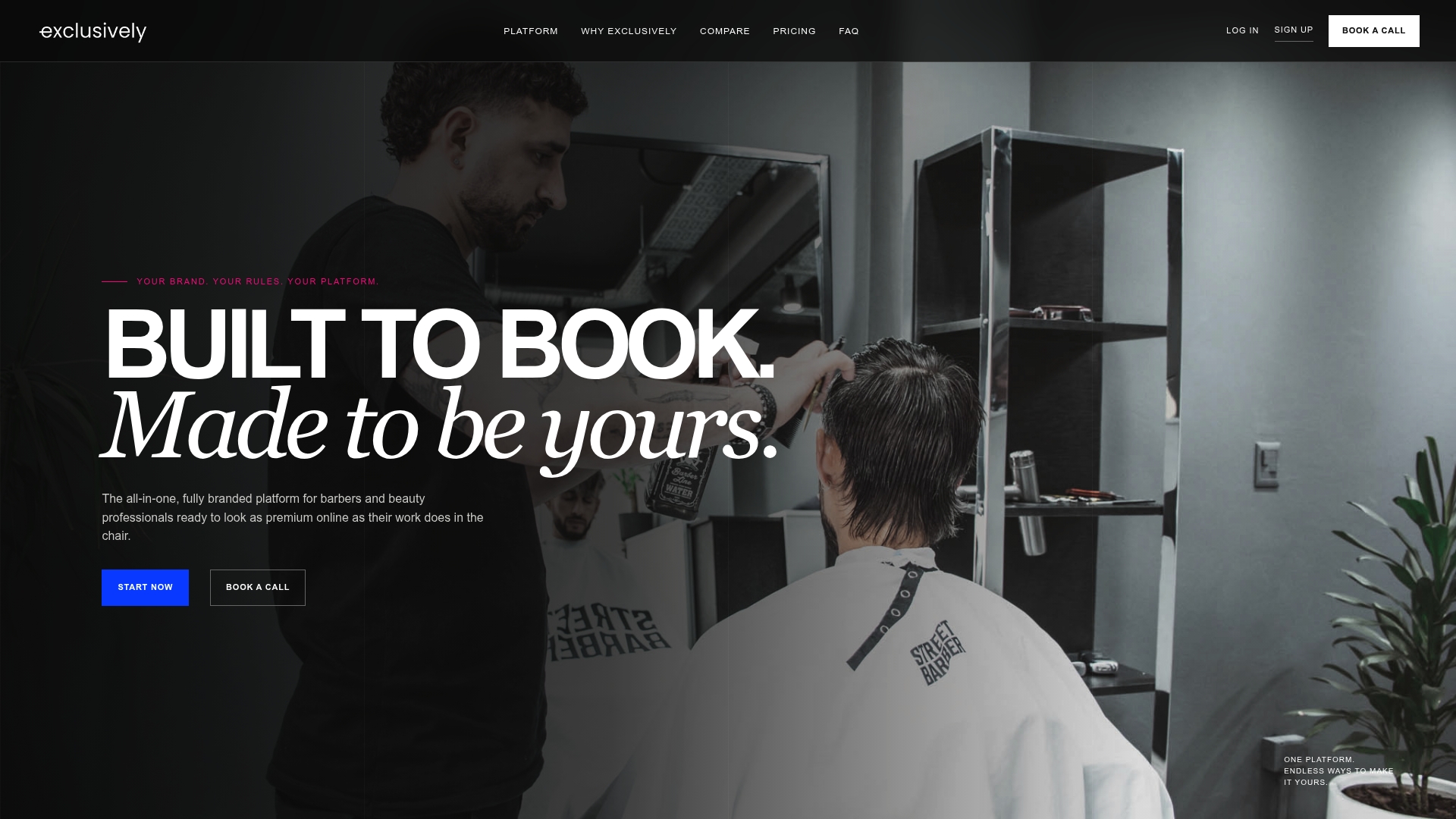
If you want a booking flow that you control end to end, start with our appointment software for barbers, or see how a branded mobile app can put your booking button on a client’s home screen. If you need help setting things up, the booking help videos walk through the steps.
FAQ
Should I make email required on my booking form?
Require it if email is how you confirm and remind. If you confirm by text, require the mobile number and make email optional, with a short reason for asking. Only demand both when your team uses both.
Can I add every client to my marketing list?
Not automatically. Appointment confirmations and reminders are service messages, but promotions need their own permission or a legal basis where you operate. In the US, CAN-SPAM requires an opt-out and your postal address in marketing emails, and texting needs affirmative consent. In the UK, EU and Canada, consent rules are stricter.
Where should the marketing opt-in go?
Use a separate, unticked checkbox, or ask on the confirmation screen or in the confirmation email. Asking after the booking is done keeps the opt-in from competing with the booking itself.
How do I know where clients drop out of booking?
Track booking starts, each step (service, provider, time, details) and confirmation. The step with the biggest fall is where to start. Change one thing at a time and compare numbers before and after.
Does the booking page affect my local search visibility?
Yes. A crawlable booking page with your services, address, hours and consistent business details gives search engines something to read and gives clients confidence. Fast mobile loading and tracked form completions help you improve it over time.
Sources
- Salon & Barber Booking Websites: Layouts and Flows (Koder.ai)
- Are Your Med Spa Intake Forms Losing You Bookings? (Sky Highway Marketing)
- Barbershop Forms: What You Need and How to Set Them Up (AllWebForms)
- Salon Online Booking Best Practices (Authic.io)
- CAN-SPAM Act: A Compliance Guide for Business (FTC)
- SMS and email compliance laws (Manychat Help Center)
- Salon GDPR Client Data Compliance (MmowW)
- Data protection: Consent (ASA)
- Guidelines for obtaining meaningful consent (Office of the Privacy Commissioner of Canada)
- GDPR for hair & beauty salons in the UK: NHBF guide
- Appointment Booking Pages for Local SEO (Bipper Media)