
Salon Group Bookings: 7 Step Setup to Stop Double Bookings
Salon Group Bookings: 7 Step Setup to Stop Double Bookings

If your salon regularly handles bridal parties, corporate bookings, or multiple clients arriving together, you need salon-side group-booking support. It lets you create one booking record that spans several clients and providers instead of juggling five separate appointments, and a branded platform like Exclusively can run this workflow without pushing clients onto a generic third-party page.
TL;DR:
- Most platforms need to accurately support multi-provider scheduling and per-person service selection to prevent double-bookings and optimize resource use.
- Proper setup requires testing calendar behavior, establishing deposit policies, and staff training to handle group check-ins and scheduling updates smoothly.
- Group bookings are most beneficial for bridal, corporate, or training sessions where coordination overhead reduces scheduling errors and improves reporting.
- Platforms like Exclusively enable branded, integrated group booking with support for deposits, split payments, and calendar synchronization through your own website or app.
- Starting with a single service category and expanding once proven reduces operational friction and prevents overcomplication during initial deployment.
Table of Contents
- What Does “Group Bookings” Mean for a Salon Calendar?
- How Group Bookings Actually Run: Calendar Logic and Payment Flow
- The Feature Checklist Every Branded Platform Should Pass
- How Do You Set Up Group Bookings Step by Step?
- When Group Bookings Are Worth It (and When They’re Not)
- How Exclusively Handles Group Bookings for Your Brand
- Sources
- FAQ
What Does “Group Bookings” Mean for a Salon Calendar?
For a salon, a group booking is one appointment record that covers multiple clients, multiple providers, or both. It’s not a customer feature for reserving a party of friends. It’s back-of-house infrastructure: one entry on your schedule that represents a bridal party of six, a corporate wellness day, or a training session with three stylists working simultaneously.
The value shows up in three places. Centralized visibility means your front desk sees the whole party as a single unit instead of hunting through six scattered slots. Precise staff allocation means you know exactly which colorist, which barber, and which esthetician is tied to which client before anyone walks in. And fewer double-bookings happen naturally, because the system checks provider availability across the entire group at once rather than one appointment at a time.
Operations specialists point to resource allocation as the real payoff: centralized visibility into staff schedules, service durations, and equipment usage cuts idle time and prevents the kind of overlap that turns a busy Saturday into chaos. Group scheduling tools built for this purpose typically handle per-person service selection and automated confirmations as standard features, according to ClinicSoftware’s breakdown of group appointment scheduling.
The metrics that move: idle chair time drops, throughput on high-volume days improves, and your staff stops manually cross-referencing five different calendar entries to confirm one party is fully staffed.
How Group Bookings Actually Run: Calendar Logic and Payment Flow
Before you commit to a platform, you need to know how it behaves under the hood, because “supports group bookings” means different things depending on the vendor.
Start with the calendar model. Some systems create one master appointment with linked sub slots for each client; others generate individually linked appointments that share a group ID but display separately on staff calendars. Neither is wrong, but they behave differently when a client cancels or reschedules, so ask a vendor to show you exactly what happens on the calendar when one person in a party of five drops out.
Staff assignment typically follows one of three models:
- Lead provider plus assistants — one stylist owns the appointment while others support specific tasks.
- Multiple assigned providers — each client in the group gets their own dedicated provider, all tied to one booking record.
- Split durations — a single provider handles multiple clients sequentially within a blocked time window.
Overlap rules matter more than most owners expect. Your platform needs to prevent a colorist from being double-booked into two separate group appointments that overlap by even ten minutes, and it should account for shared equipment (a single processing station, one shampoo bowl) as a bookable resource, not just a person. Platforms that support multi-provider and multi-location logic tend to handle this kind of resource matching more reliably, according to OctopusPro’s documentation on salon scheduling.
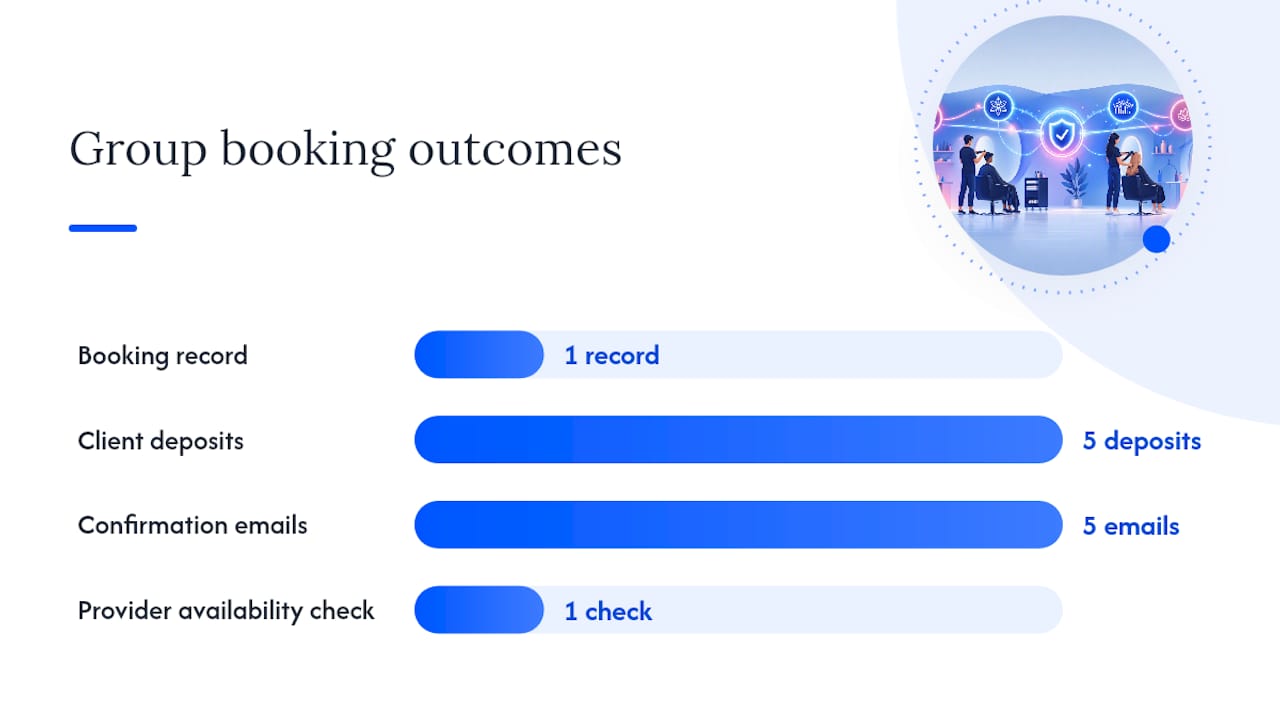
Pro Tip: Test your deposit rules on a mock group booking before launch. If the system can’t split a deposit across five clients and issue five separate confirmation emails, you’ll be doing that math by hand every week.
The Feature Checklist Every Branded Platform Should Pass
Run any platform you’re evaluating, including your current one, through this list before you assume it handles group bookings correctly.
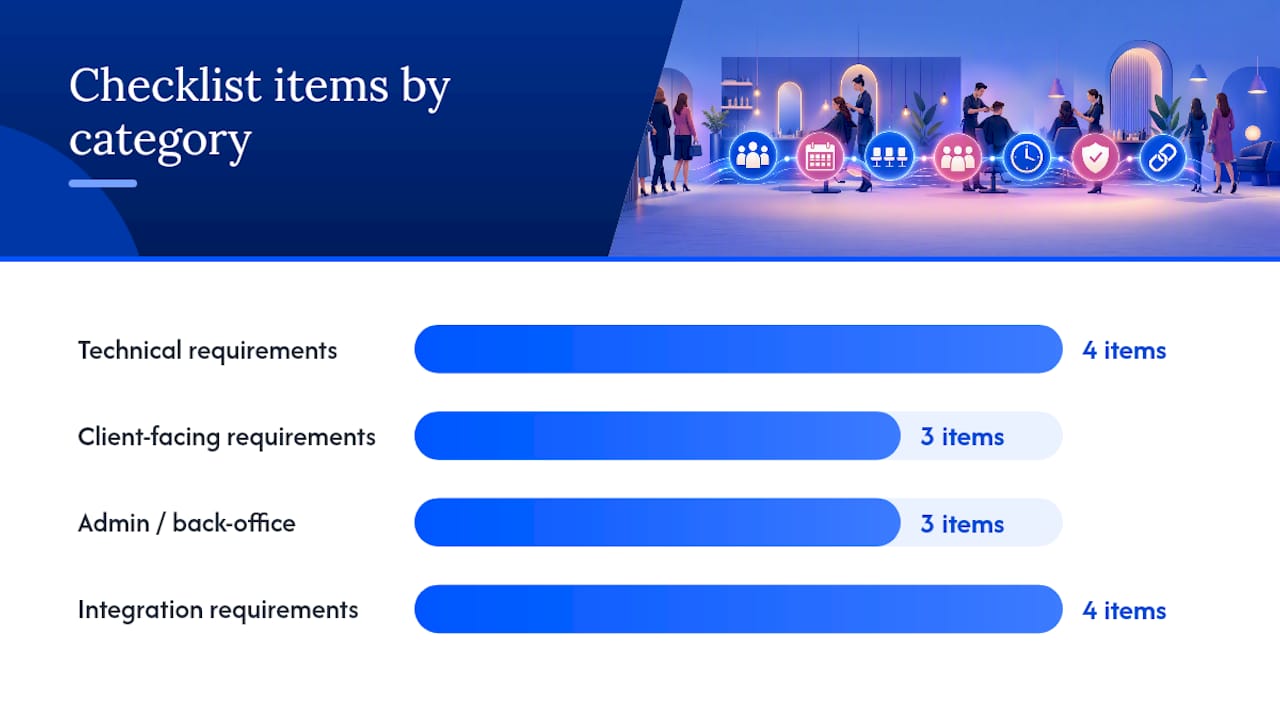
Technical requirements:
- Multi-provider slots that let you assign different staff to different people within one booking
- Per-person service selection, so a bridal party can mix a haircut, a blowout, and a full color under one record
- Variable duration handling and capacity limits per group
- A single booking record that ties the whole party together for reporting
Client-facing requirements:
- One checkout flow for the group, with the option for split or per-person payment
- Deposit and partial-payment support tied to the group total or individual shares
- Automated confirmations sent to each participant, not just the person who booked
Admin and back-office requirements:
- The ability to build group packages (bridal, corporate wellness, training days) as reusable templates
- Bundled reporting that shows group revenue and utilization separately from single-client bookings
- Clean handoff to payroll or accounting for split provider commissions
Integration requirements:
- Native support for Stripe and Square, since deposits and per-person charges depend on reliable processing (see Exclusively’s Square payment terms for how that integration handles reconciliation)
- Calendar sync across staff devices
- Delivery through your own branded app or website, not a third-party booking page
- Onboarding resources like step-by-step booking help videos that speed up configuration
Integrated POS systems that pair scheduling with payment processing generally include this kind of multi-appointment handling and automated reminder logic out of the box, according to GPOS System’s overview of salon POS scheduling.
How Do You Set Up Group Bookings Step by Step?
Getting group bookings live takes more than flipping a switch. Here’s the sequence that avoids the most common setup mistakes.
- Pick eligible services first. Not every service belongs in a group booking. Start with bridal packages, corporate visits, or training sessions, where multi-client coordination adds real value.
- Set your deposit policy before you configure anything. Decide whether deposits are per person or per group, and whether they’re refundable if the group size shrinks.
- Build the group-service type in your platform. Set capacity limits, assign eligible providers, and enable automated reminders for every participant.
- Test the calendar behavior manually. Book a mock group appointment, cancel one participant, and confirm the schedule updates correctly for every affected provider.
- Train staff on the check-in flow. Front desk and providers need to know how to check in five people against one booking record without confusion.
- Set shift rules that account for group bookings. A provider assigned to a group appointment shouldn’t be simultaneously bookable for a conflicting single appointment.
- Track outcomes, not just uptake. Watch utilization rate, changes in no-show frequency, and average revenue per booking once group bookings go live.
Focusing on those three operational metrics, utilization, no-shows, and revenue per booking, gives you a cleaner read on whether the feature is working than simply counting how many group appointments get booked.
When Group Bookings Are Worth It (and When They’re Not)
Group bookings earn their complexity in specific situations: bridal parties, corporate wellness contracts, training days with multiple stylists, and recurring commercial accounts where the same group books monthly. In these cases, the coordination overhead pays for itself in fewer scheduling errors and cleaner reporting.
Where it adds friction without adding value is highly customized, one-off services where each client’s needs diverge so much that grouping them creates more confusion than it solves. A single elaborate color correction doesn’t benefit from being bundled with someone else’s basic trim just because they arrived together.
The trade-off worth naming honestly: group bookings require more upfront configuration and staff training than single appointments. Salons that mitigate this well tend to start with one service category, prove it out, and expand from there rather than turning on every group feature at once.
— Service
How Exclusively Handles Group Bookings for Your Brand
Some platforms are built for salons that need group-booking capability without handing the client experience over to a generic third-party app. A checklist for group booking platforms includes features such as multi-provider assignment, per-person service selection, deposit handling, and Stripe and Square support, running through a branded website and mobile app, so a bridal party can book through the salon’s brand, not a marketplace listing.

Configuration happens on the appointments product page, where you set provider assignments, capacity limits, and package templates. Payment flows run through Square or Stripe, both built to handle deposits and per-person charges cleanly. If you’re setting this up for the first time, the booking help video library walks through group-service configuration step by step, and salons managing seasonal demand around group bookings often pair that setup with marketing support built for salons to keep the calendar full once the feature is live.
Check current plans and pricing to see which tier includes multi-provider booking, or book a call to walk through your specific service mix before you configure anything.
Sources
- Group Appointment - ClinicSoftware | Tips
- Beauty Salon Software | Booking, Scheduling & Payments
- Salon POS with Built-In Appointment Scheduling - GPOS System
FAQ
What Counts as a Group Booking for a Salon?
A group booking is one appointment record covering multiple clients, multiple providers, or both, used for things like bridal parties, corporate visits, or training sessions.
Does Group-Booking Software Handle Split Payments?
Platforms built for this typically support deposits and per-person charges within one checkout, though the exact split logic varies by vendor, so test it before launch.
Can Group Bookings Run Through My Own Branded App?
Yes. Exclusively delivers group-booking functionality through your own branded website and mobile app rather than routing clients to a third-party booking page.
How Much Does Exclusively Cost for Group-Booking Features?
Pricing depends on the plan tier, and current details are listed on the Exclusively pricing page.
What’s the Biggest Mistake Salons Make Setting Up Group Bookings?
Turning on group bookings for every service at once instead of starting with one high-value category, like bridal or corporate packages, and expanding once the workflow is proven.