
Salon Owners: Set Stylist Prices With Cost per Minute, Tiers & Rollout
Salon Owners: Set Stylist Prices With Cost per Minute, Tiers & Rollout

Prices per stylist means letting each barber or stylist on your team set their own service rates inside your branded booking and payments platform, rather than pushing one flat menu for the whole shop. If you’re deciding whether to switch, do it: calculate a price floor for each service, build a simple tier structure by experience level, and publish those individual rates on your website and app. The platform supports this kind of provider-level control alongside centralized brand governance, so pricing stays flexible without turning your site into a mess.
TL;DR:
- Staff with higher experience levels should have service prices set at a fixed percentage above the calculated price floor, reflecting added skill and retention considerations.
- Pricing for complex or custom services should be listed as “from” prices or consult-only, to accurately represent variable chair time and labor.
- Clearly displaying individual stylist prices and availability at the booking step reduces no-shows and pre-qualifies clients before they commit.
- When implementing price increases, clients should be notified two to four weeks in advance, with messaging focusing on improvements and added value rather than just higher costs.
- Setting up provider-level pricing requires creating service variants assigned to individual stylists, with testing to ensure display accuracy before public launch.
Table of Contents
- What Is Provider-Level Pricing and Why Does It Matter?
- How Do You Calculate a Price Floor for Each Service?
- How Do You Publish Stylist Prices on Your Booking Platform?
- How Should You Roll Out Price Changes to Staff and Clients?
- What I Learned Setting Up Tiered Pricing for the First Time
- Set Up Provider-Level Pricing With Getexclusively
- Sources
- FAQ
What Is Provider-Level Pricing and Why Does It Matter?
A flat menu charges $65 for a haircut no matter who’s holding the shears. Provider-level pricing flips that: your senior colorist charges $180 for a balayage while a newer stylist charges $110 for the same service category. Clients see the difference before they book, which means the person who shows up already knows what they’re paying for and why.
This matters more than it sounds like it should. Shops that hide pricing or force everyone into one number tend to attract price-shoppers who bail at checkout, while shops that publish stylist-specific rates draw clients who’ve already decided the price is fine. That self-selection alone cuts down on awkward front-desk conversations and no-shows.
On the technical side, this works by creating service variants inside your booking system and assigning each one to a specific provider. A single service like “haircut” can exist as three separate bookable entries, each tied to a different stylist, each with its own price and duration. On a branded platform, that structure lives inside your own website and app rather than a generic directory listing, so the pricing feels like part of your brand instead of a marketplace add-on.

The retention angle is the part owners underestimate. Tiered pricing gives senior staff a visible, structural reason to stay instead of chasing a better commission split down the street. It’s practitioner logic more than hard data: a transparent career path tied to pay tends to keep skilled people in the chair longer than vague promises of “more clients eventually.”
A few mechanics worth locking down early:
- Each stylist needs their own service list, not just a shared menu with a name attached.
- Availability and pricing should update together, since a fully booked senior stylist with an underpriced service will get flooded with requests they can’t fulfill.
- Your booking flow should show the provider’s name and rate at the same step, not after the client has already picked a time slot.
How Do You Calculate a Price Floor for Each Service?
Start with the number every owner skips: cost per minute. Take your total overhead for a stylist’s chair (rent share, utilities, product overhead, a slice of your booking software cost) and divide it by that stylist’s billable minutes in a month. That gives you a baseline cost to deliver any service, before you even add labor or profit.
From there, Lutily’s pricing formula lays out the full price floor: overhead per minute, multiplied by the service’s duration, plus product cost, plus labor, plus your target margin. Skip any one of those and you’re guessing. Lutily’s own guidance flags a common mistake directly: commission-based shops often bury labor inside general overhead, which quietly underprices every service on the books.
Statistic Callout: There’s no universal margin number that applies to every shop, but the formula itself, cost per minute times service length, plus product cost, plus labor, plus margin, is the most defensible way to avoid running services at a loss, according to Lutily’s calculator model.
Once the floor is set, build your tiers on top of it:
- Define three or four tiers (junior, mid, senior, master) with observable criteria, not vibes, like years in the chair, client retention rate, or a specific skill checklist.
- Set each tier’s price as a percentage above the floor rather than a flat number, so pricing scales automatically as your overhead changes.
- Tie every promotion to a fixed review date and a visible price increase. Zatrovo’s rate card guidance points out that promotions without a pricing change read as cosmetic to both staff and clients.
- Flag any custom or highly technical service (color correction, extensions) as consult-only or “from” pricing, since a fixed floor doesn’t always cover unpredictable labor time.
Surcharges for long hair, extra product, or add-on treatments should sit on top of the floor as a separate line, not folded into the base price. That keeps your reporting clean when you’re checking which services are actually profitable.
How Do You Publish Stylist Prices on Your Booking Platform?
Once the math is done, the setup itself is mechanical. Most booking and POS systems, including the operational flow SalesVu documents for employee-dependent pricing, follow roughly the same steps:
- Create the service and assign it a category (cut, color, treatment).
- Add a price and duration for each variant of that service.
- Assign the variant to the specific stylist who performs it.
- Set the applicable tax bracket for that service type.
- Add any surcharges as separate line items.
- Save and preview how the listing looks on your live site or app before publishing.
Visibility is its own decision. Standard services like haircuts or blowouts should show a full price, since clients expect it and comparison shopping is easy anyway. Services with more variability, extensions, corrective color, work better as “from” pricing or consult-only, so you’re not locked into a number that doesn’t match the actual chair time. Zatrovo’s research backs this split directly: clear pricing on standard services pulls in pre-qualified bookings, while flexible framing on complex services avoids underquoting.
On the payments side, stylist premiums need to show up cleanly in your reporting, not get averaged into a shop-wide total. If you’re processing through Stripe or Square, check your Stripe payment terms or Square payment terms to confirm how provider-level line items reconcile against payouts. Getexclusively’s booking setup videos walk through the service-variant and provider-assignment steps if you’re configuring this for the first time.
Pro Tip: Set up two or three real bookings as a test run before your public launch. Watch whether the price and provider name actually display together at checkout, not just on the service list. That’s where most setup mistakes hide.
How Should You Roll Out Price Changes to Staff and Clients?
Timing and communication decide whether a price update lands as “the shop is investing in quality” or “prices went up for no reason.”
- Give clients at least two to four weeks’ notice before new prices take effect, and grandfather anyone who already booked at the old rate.
- Set a fixed annual (or semi-annual) review date for stylist tier promotions, tied to objective criteria like retention numbers or booked hours, not ad-hoc raises that feel arbitrary to the rest of the staff.
- Frame client-facing messaging around what’s improving, new certifications, added services, more experienced staff, rather than just the number going up. Zatrovo’s templates for pricing announcements lean on this quality-investment framing specifically because it reduces churn.
- Send the update through every channel clients actually check: email, a banner on your booking site, and a push notification through your app if you have one.
- Test both display styles, full price versus “from” pricing, on a couple of services and compare booking completion rates in your platform’s analytics before rolling the choice out shop-wide.
Staff pay should move in lockstep with visible rate changes. If a stylist’s public price jumps but their commission structure doesn’t reflect it, you’ll hear about it fast.
What I Learned Setting Up Tiered Pricing for the First Time
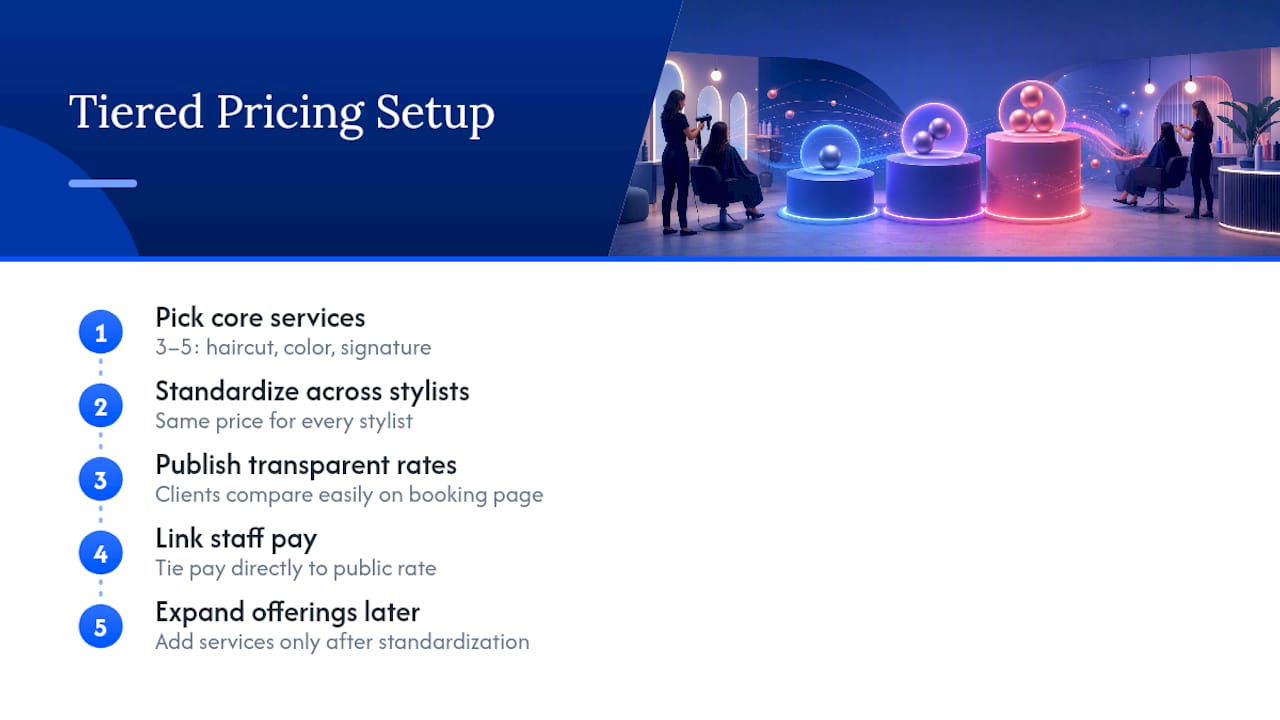
. The short version of what tends to happen: shops that start with three to five core services, haircuts, color, one signature treatment, and standardize those across every stylist before expanding, avoid the configuration headache of trying to price everything on day one.
and would sharpen this further, but the pattern holds even without hard numbers: transparency beats guesswork every time a client is choosing between two stylists on the same booking page. The biggest lesson isn’t the math, it’s the discipline to tie staff pay directly to whatever rate is showing publicly. Disconnect those two and you’ll spend more time managing complaints than managing prices.
— Service
Set Up Provider-Level Pricing With Getexclusively
This platform is an alternative to generic booking directories for shops that want provider-level pricing without losing brand control. It offers a fully branded website and native app under your own name, per-stylist service and price configuration, and payments processing through Stripe or Square, all managed from one dashboard instead of stitched together from separate tools.

If you’re ready to move past a flat menu, start on the pricing page to compare the Business Website, Website + Booking, and Website + Booking + Apps plans, or head straight to book a call to walk through provider-level setup with the team. For shops weighing options against other booking software, the Getexclusively vs. Booksy comparison breaks down where branded control matters most. And if visibility is part of your goal, pairing published pricing with a salon SEO strategy helps the right clients find those rates in the first place.
Sources
- How to Calculate Salon Service Prices: A Formula — Lutily Blog
- Variable pricing depending on service provider – SalesVu
FAQ
What Does “Prices per Stylist” Actually Mean?
It refers to provider-level pricing, where each stylist or barber sets their own rate for a service inside your branded booking platform, instead of one flat shop-wide price. It’s a configuration choice inside your booking software, not a public average of what haircuts cost in your area.
How Do I Calculate a Fair Price Floor for Each Stylist?
Divide your overhead by billable minutes to get a cost-per-minute baseline, then add product cost, labor, and your target margin using a formula like Lutily’s price floor model. Skipping labor costs, a common mistake in commission-based shops, is the fastest way to underprice a service without noticing.
Should I Show Full Prices or “From” Pricing?
Standard services like haircuts and blowouts do better with full, visible prices since clients expect to compare them directly. Highly customized services, color correction or extensions, work better as “from” pricing or consult-only, a distinction Zatrovo’s research ties directly to reducing price-sensitive walk-ins.
How Much Notice Should I Give Before Raising Stylist Prices?
Two to four weeks’ notice is standard practice, with existing bookings grandfathered at the old rate. Pair the notice with a message about what’s improving, added certifications or experience, rather than just the number changing.
Does Getexclusively Support Individual Stylist Pricing?
Yes. Getexclusively lets each provider set their own service prices, availability, and details inside a single branded website and app, with payments handled through Stripe or Square. Current plan pricing is listed on the Getexclusively pricing page.