
Run Five Email Flows to Fill More Chairs This Month
Run Five Email Flows to Fill More Chairs This Month
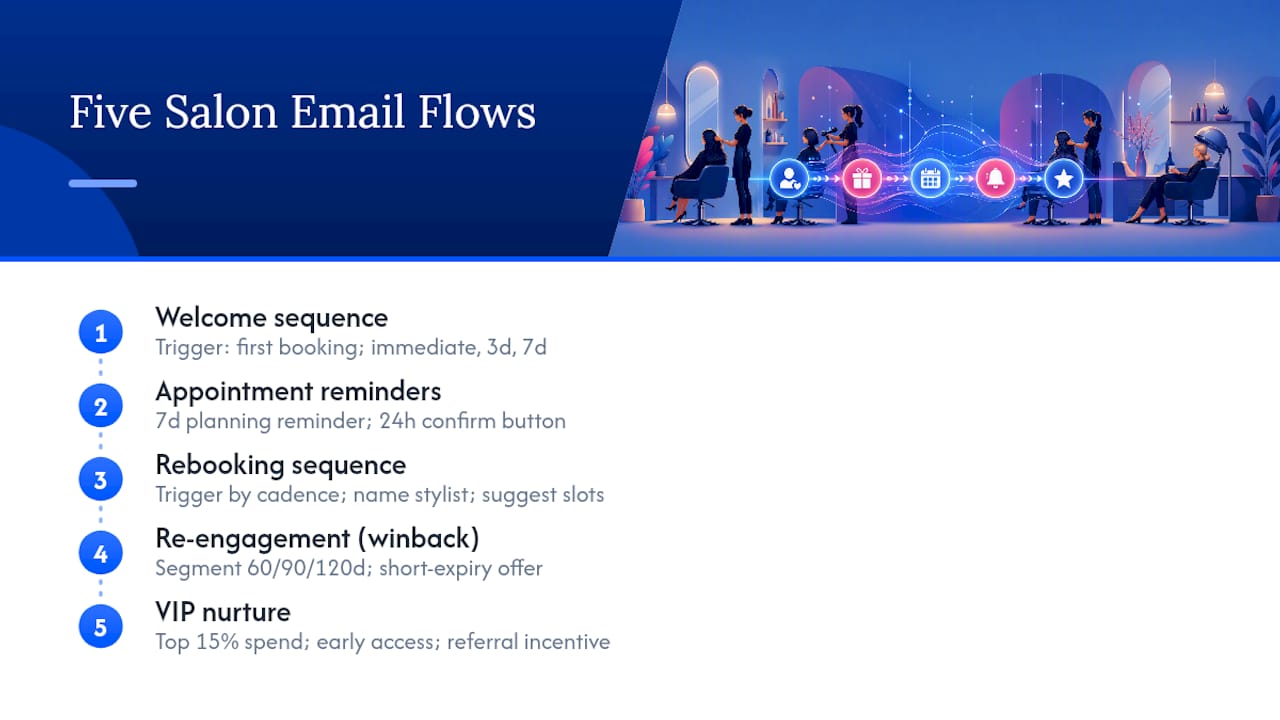
Run five automated email flows synced to your booking system, plus a monthly newsletter, and you’ll fill more chairs than any one-off promotion ever will. This is the backbone of effective salon email marketing: welcome, appointment reminders, rebooking, re-engagement, and VIP nurture, each triggered by what’s actually happening in your booking calendar, not by guesswork.
Here’s the short list to build first:
- Welcome sequence — greets new clients, introduces their stylist, and drives the first rebook
- Appointment reminders — cuts no-shows with a planning reminder and a 24-hour nudge.
- Rebooking flow — nudges clients back in based on their service’s natural cadence
- Re-engagement (winback) — brings lapsed clients back with a time-limited incentive
- VIP nurture — rewards your top spenders and turns them into referral sources
A branded platform that connects your website, booking system, and payments removes the friction that kills conversion. When a client clicks “Book Now” in an email and lands on a page that looks like your salon, not a generic third-party directory, they finish the booking instead of abandoning it.
Key Takeaways
Salon email marketing works best as five automated flows synced to real booking data, backed by a monthly newsletter and clean segmentation.
| Point | Details |
|---|---|
| Launch five core flows | Build welcome, reminders, rebooking, re-engagement, and VIP nurture in that order for fastest impact. |
| Segment before you send | Group by service type, recency/frequency, and lifetime value, and suppress clients with upcoming bookings. |
| Track click-to-book, not just opens | Open and click rates matter, but bookings generated per send is the metric that proves ROI. |
| Stay compliant by default | Build CAN-SPAM and GDPR consent language into every template at setup, not campaign by campaign. |
| Use a branded platform for the booking path | Getexclusively syncs booking, payments, and branded site data so email clicks convert without third-party friction. |
Table of Contents
- Five High-Converting Salon Email Campaigns and How to Build Each Flow
- Templates, Subject Lines, and CTA Placement You Can Copy Today
- How Should You Segment Your Salon Email List?
- Design and Mobile Rules That Actually Improve Bookings
- Setting Up the Tools and Integrations Behind Automated Salon Marketing
- Which Metrics and A/B Tests Actually Move the Needle?
- Building a Seasonal Email Calendar That Fills Slow Weeks
- What to Configure This Week
- Staying Compliant: CAN-SPAM, GDPR, and Salon-Specific Rules
- Protecting Client Data While You Market to Them
- Handling Unsubscribes and Keeping Your List Clean
- List-Building Strategies Built for Salons
- First-Person Perspective: How a Branded Platform Changes Email Conversion
- How Exclusively Helps You Run These Campaigns Without the Patchwork
- Sources
Five High-Converting Salon Email Campaigns and How to Build Each Flow
Each flow below follows the same structure: trigger, timing, core message, call to action. Build them in this order, and you’ll have the highest-impact automations live before you touch anything else.
1. Welcome sequence
Trigger this the moment someone books their first appointment or joins your list. Send email one immediately: a warm greeting plus what to expect at their visit. Email two arrives three days later with an incentive, ideally backed by a client testimonial or before/after result, since a welcome series that pairs an incentive with social proof tends to drive stronger early rebooking. Email three lands around day seven: introduce their assigned stylist by name and push a direct booking CTA for visit number two.
2. Appointment reminder sequence
This flow does double duty: it kills no-shows and it’s your best rebooking opportunity. Send a planning reminder seven days out (what to bring, parking, cancellation policy), then a 24-hour reminder with a one-tap confirm button. A multi-part reminder system that includes a post-visit follow-up linking straight to booking measurably reduces no-shows and lifts retention.
3. Rebooking sequence
Trigger this off service cadence, not a calendar guess. Color clients might be due in five to six weeks; haircuts in four to eight. Pull the last-visit date and service type from your booking system, then send a rebooking prompt naming their stylist and two or three suggested open slots.
4. Re-engagement (winback) sequence
Segment anyone who hasn’t booked in 60, 90, or 120 days into separate lapsed tiers. Personalize by their last service, reference what they used to book, and attach an offer with a real expiration date, three or seven days out works well, to create urgency without feeling gimmicky.
5. VIP nurture sequence
Define VIP by lifetime spend or visit frequency (say, top 15% of clients by revenue over 12 months). Send them early access to new services, exclusive seasonal bundles, and a direct referral ask with an incentive for both parties.
Pro Tip: Stagger your flow launches. Turn on welcome and reminders first since they touch every client automatically. Add rebooking and re-engagement once you trust the booking-data sync feeding them.
Templates, Subject Lines, and CTA Placement You Can Copy Today
Subject lines carry the entire weight of whether an email gets opened. Three formulas work reliably for salon audiences:
- Personalization + benefit: “[First name], your color is fading, book your refresh”
- Urgency + expiration: “Your 20% off expires Friday, [First name]”
- Curiosity + stylist name: “[Stylist name] has 3 openings this week”
Open rates and click-through rates vary widely by list health and segmentation quality, so treat industry benchmark numbers as directional rather than a target to hit exactly, then track your own baseline for 60 days before judging performance.
Three ready templates, with tokens you’d map from your booking data:
Welcome: “Hi [First name], welcome to [Salon Name]! Your stylist, [Stylist Name], can’t wait to see you. Book your next visit and get [Incentive] on us.” CTA: “Book My Next Visit”
Rebook: “[First name], it’s been [X weeks] since your last [Service]. [Stylist Name] has openings [Date Range].” CTA: “Grab a Spot”
We-miss-you: “[First name], we haven’t seen you since [Last Visit Date]. Here’s [Offer] to welcome you back, valid through [Expiration Date].” CTA: “Claim My Offer”
Place your primary CTA button above the fold and repeat it once more near the bottom for long emails. Use before/after images sparingly, one strong pair beats five mediocre ones, and always attach a stylist thumbnail near the CTA so the booking feels personal rather than transactional.
How Should You Segment Your Salon Email List?
Segmentation is what separates an email that gets deleted from one that gets booked. Split your list along three axes: service type, recency and frequency, and lifetime value.
Service-based segments matter because a color client and a men’s haircut client want completely different content. Group by:
- Color and highlights clients, who need touch-up cadence reminders
- Cut and style clients, who rebook faster and respond to trend content
- Nail and lash clients, who often have shorter, more frequent cycles
Recency and frequency segments tell you who’s overdue, who’s lapsed, and who’s a VIP based on actual visit history pulled from your booking system rather than a guess. This is also where suppression lists earn their keep. Advanced salons exclude anyone with an appointment already booked in the next 30 days from broad promotional sends, since blasting a promo to someone who already has a visit scheduled just generates confused replies and unnecessary support calls.
Personalization tokens worth mapping from your booking data: first name, last visit date, primary service, assigned stylist, and next suggested appointment window. Stylist-level tokens like “Your stylist: [Name]” matter more than most salons realize. Clients who see their actual stylist named in an email feel a sense of continuity that generic “your salon team” language never delivers.
Pro Tip: Set your suppression list to sync automatically with your booking calendar. A manual export gets stale within a week and starts sending rebooking nudges to people who already rebooked.
Design and Mobile Rules That Actually Improve Bookings
Most salon clients open email on a phone standing in a parking lot or between appointments. Design for that reality first.
Use single-column templates with one dominant CTA button, sized for a thumb tap, not a mouse click. A prominent, single “Book Now” button paired with a strong before/after image improves email-to-booking conversion more reliably than a cluttered layout with three competing calls to action.
Quick design checklist:
- Compress before/after images so they load instantly on mobile data
- Add descriptive alt text to every image in case images don’t render
- Keep body text at 14px minimum and maintain strong color contrast
- Label every link clearly (“Book My Appointment,” not “Click Here”)
Before you send anything at scale, test the render in at least three places:
- Gmail and Apple Mail on mobile, since that’s where most opens happen
- Outlook on desktop, which handles CSS differently than everything else
- Your own phone, clicking every link and button through to the actual booking page
Setting Up the Tools and Integrations Behind Automated Salon Marketing
Email automation only works as well as the data feeding it. If your booking system and your email platform don’t talk to each other, every “personalized” email is really just a guess.
The fields worth mapping first: service type, assigned stylist, appointment date, and membership or package status. Once those sync, your reminders, rebooking nudges, and VIP flows all run themselves off real client behavior instead of manual list exports.
Prioritize these integration points when you set up salon marketing automation:
- Appointment triggers — booking, rescheduling, and cancellation events that fire reminder and rebooking emails automatically
- Purchase history — retail and service spend that feeds VIP segmentation
- Membership status — flags recurring clients for different messaging than one-time visitors
A fully branded platform with a custom website, booking, and mobile app under one login gives you a real edge here, because the booking page a client lands on after clicking your email carries your salon’s actual branding instead of a generic third-party marketplace page. That consistency, paired with integrated Square payment processing for secure checkout, is a big part of why branded booking paths convert better than a patchwork of disconnected tools.
Pro Tip: Run one test flow end to end before turning on automation for your full list. Book a test appointment, trigger the reminder, click every link, and confirm the booking page actually opens to the right service and stylist.
Which Metrics and A/B Tests Actually Move the Needle?
Track five numbers, in this order of priority: open rate, click-through rate, click-to-book rate (actual bookings generated from an email), rebook rate, and unsubscribe rate. Click-to-book is the one most salons skip, and it’s the only metric that tells you whether emails are filling chairs or just getting opened.
Calculate booking lift by comparing bookings made in the 48 hours after a send against your normal daily average. If a re-engagement email typically drives five bookings on a flat day and you see fifteen after a send, that’s your lift number to track over time.
Two A/B tests worth running immediately:
- Subject line test: personalization + benefit versus urgency + expiration, sent to a 50/50 split of the same segment
- CTA placement test: one button above the fold only versus the same button repeated at top and bottom
Run each test for at least one full send cycle, roughly one to two weeks depending on your list size, before declaring a winner. Once a variant outperforms by a clear margin, not a coin-flip 51/49 split, roll it out as your new default and move to the next test.
Building a Seasonal Email Calendar That Fills Slow Weeks
Match your calendar to what clients actually think about each season, not just what you want to sell:
- January: New Year refresh offers, color renewal packages
- March to April: spring color trends, lighter cuts, pre-event styling
- October to November: pre-holiday packages, gift card pushes, party-ready styling
For cadence, a monthly newsletter works well as a baseline, with biweekly sends during your busiest seasons to avoid overwhelming inboxes while staying visible. Layer automated flows on top of that baseline; they run continuously regardless of newsletter timing. When a week looks slow, send a same-week promo or a “stylist has 3 openings” email tied to actual availability, and only schedule as many campaigns as your front-desk and stylists can realistically handle without feeling rushed.
What to Configure This Week
Get the core system live in seven days, not seven months:
- Day 1 to 2: Export and verify your client email list; remove obvious bounces and duplicates
- Day 2 to 3: Connect booking sync so appointment data flows into your email platform
- Day 3 to 4: Build and activate the welcome sequence
- Day 4 to 5: Configure the two-part appointment reminder flow
- Day 5 to 6: Build one newsletter template you can reuse monthly
- Day 7: QA everything, test the booking flow, check email rendering, click every link, confirm the unsubscribe link works
Assign one staff member as the owner for setup (usually the manager) and a second person to review content before each send. Budget two to three hours per flow for initial setup, less once the first one is built and you’re just adapting the template.
Staying Compliant: CAN-SPAM, GDPR, and Salon-Specific Rules
Every promotional email you send in the United States needs to follow CAN-SPAM: a working unsubscribe link, your real business address, an accurate subject line, and honored opt-outs within 10 business days. None of that is optional, and the penalties scale per email, not per campaign, so a bad send to a large list carries real exposure.
If you have clients in the European Union or the UK, GDPR governs how you collect and use their data. That means clear consent at signup, no pre-checked opt-in boxes, and a documented reason for storing each person’s information. A client who books an appointment has given you enough basis to send service-related messages, but marketing newsletters generally need a separate, explicit opt-in.
For salons specifically, this gets practical fast. If you collect emails at the front desk on a tablet or paper sign-up sheet, that sign-up needs the same clear consent language as a website form, not just a blank line for “email address.” Keep a record of when and how each client opted in; if a complaint or audit ever comes up, that timestamp is your protection.
Build compliance into your templates once, at setup, rather than checking it campaign by campaign. Every automated flow, welcome, reminders, rebooking, should carry the same footer with your address and an unsubscribe link that actually works on the first click, not buried three menus deep.
Protecting Client Data While You Market to Them
Client email lists contain more than addresses. Service history, spend levels, and personal preferences all live in the same database your email platform touches, which makes data security part of your marketing responsibility, not just an IT concern.
Limit access to your client list to the staff members who actually need it, typically the manager and whoever builds campaigns. Every additional login is another point of potential exposure. Use platforms that encrypt data in transit and at rest, and confirm your email tool and booking system both meet that baseline before connecting them.
Never sell or share your client list with outside vendors, even ones offering to “cross-promote.” That single decision protects more trust than any amount of clever copywriting ever will. If you use a booking platform with integrated payment processing, confirm the payment data itself is handled by a compliant processor rather than stored directly in your marketing tool. Keeping financial data separate from campaign data reduces your risk if either system is ever compromised.
Review who has access to your client database every few months, especially after staff turnover. A former employee’s login left active is one of the most common, and most avoidable, security gaps in a small business.
Handling Unsubscribes and Keeping Your List Clean
An unsubscribe isn’t a loss, it’s your list correcting itself. Chasing open rates on a bloated, disengaged list hurts your deliverability far more than a smaller, responsive one ever will.
Process every unsubscribe request immediately; most email platforms handle this automatically once someone clicks the link, but confirm your specific tool actually removes them from future sends rather than just flagging the record. Never re-add an unsubscribed client to a new list or import, even by accident during a data cleanup.
List hygiene beyond unsubscribes matters just as much. Remove hard bounces (invalid addresses) after the first failed send. Watch for clients who haven’t opened anything in six months or more and move them into a separate re-engagement track rather than continuing to blast them with your standard campaigns; if they don’t respond to that either, it’s usually time to let them go from active sends entirely. A cleaner list with fewer, more engaged addresses will outperform a bloated one on every metric that actually matters, including the one that pays your bills: click-to-book rate.
List-Building Strategies Built for Salons
Your front desk is your best sign-up tool, and most salons underuse it. Add an email capture field directly into your checkout or booking confirmation step, so every new client is asked once, clearly, rather than left to opt in on their own initiative.
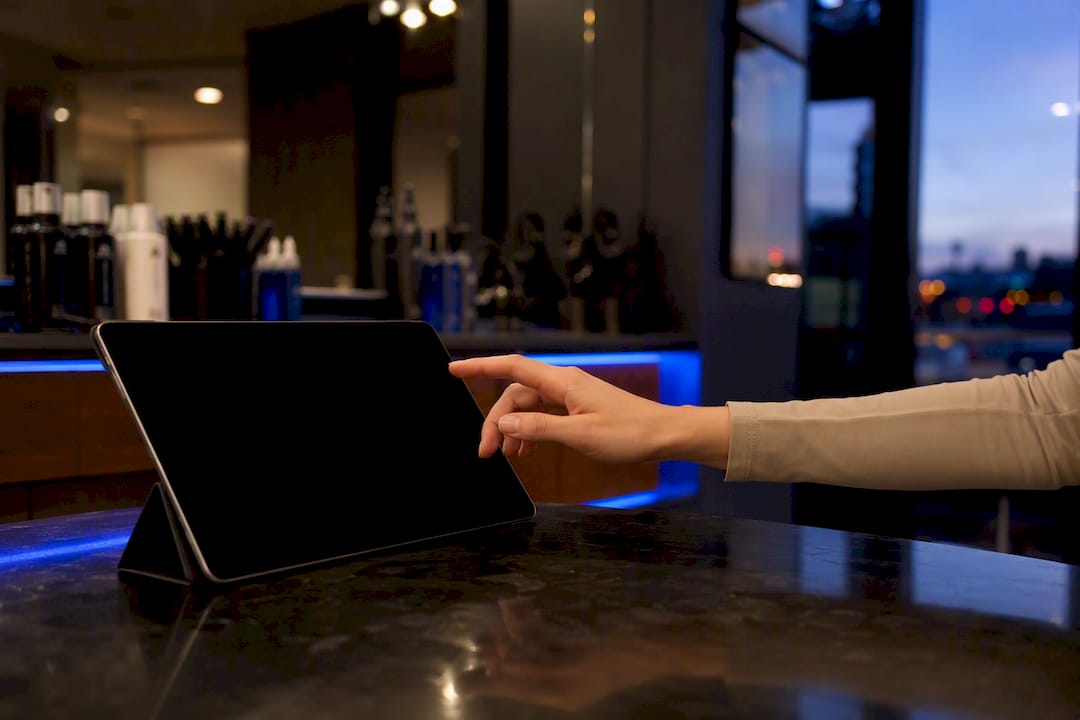
In-store, a simple tablet sign-up sheet at reception with a one-line incentive (“Get 10% off your next visit for joining our list”) converts far better than a paper form nobody remembers to check. Your website should carry the same offer through a booking-page form field, not a separate pop-up that interrupts the booking flow itself.
Social media rounds out the strategy. Instagram and Facebook both support lead-generation forms that connect directly to your email platform, so a client who comments on a before/after post can join your list without leaving the app. Cross-promote your newsletter signup in your Instagram bio link and in your Google Business profile description, two places clients check before they’ve even decided to book.
First-Person Perspective: How a Branded Platform Changes Email Conversion
Every extra click between an email and a confirmed appointment costs you clients. A third-party booking link routes people through unfamiliar branding, and that hesitation shows up as abandoned bookings. A brand-owned path, a custom website, native mobile app, synced booking, and integrated payments under one login, keeps the entire experience consistent, which is what actually earns the click.
— Service
How Exclusively Helps You Run These Campaigns Without the Patchwork
Getexclusively is the alternative to stitching together five disconnected tools, an email platform, a booking widget, a payment processor, and a website builder, to run the flows covered above. Everything here works because your booking system, branded site, mobile app, and payments live in one place, so the fields your welcome sequence and rebooking flow depend on (service, stylist, appointment date, membership status) sync automatically instead of living in a spreadsheet someone has to update by hand.

Picture how this plays out for a salon launching just the welcome and reminder flows first: a new client books through your branded site, the welcome sequence fires immediately using her real appointment data, and the 24-hour reminder links straight back to your own booking page instead of a generic third-party portal. No manual exports, no mismatched branding, no guessing which stylist to mention.
If you’re evaluating whether a branded platform fits your salon, start with the pricing and plans page to see which tier matches your current setup, or compare the approach directly against Booksy’s booking flow to see where the branding difference actually shows up in conversion.
Sources
- Salon Email Marketing: 5 Campaigns That’ll Fill Your Chairs — Campaign Monitor
- Salon Email Marketing: Transforming Transactions into Relationships — Marketing 360® Blog