
Salon Website Privacy Policy: What to Include and Why
Salon Website Privacy Policy: What to Include and Why

A salon website privacy policy is a public page that tells clients what personal information you collect, why, who sees it and how they can reach you about it. If your site takes bookings, stores client accounts, sends marketing or accepts cards, you need one, and it has to describe what your site actually does. The simplest way to get that right is to build your website, booking and payments on one branded platform, so you know exactly which data flows where before you write a word.
This guide is for barbers, stylists, suite owners and beauty educators who run their own site. It covers what to put in the policy, where US law applies, and what PCI compliance means when clients pay by card.
TL;DR
- Your policy must describe real practice: California’s online privacy law requires a conspicuous policy stating what you collect and share, and it requires you to follow it.
- List every data touchpoint: booking forms, client accounts, health or allergy notes, payments, cookies and pixels, email and text sign-ups.
- Cover retention, security, client access and correction, and a contact for privacy questions.
- PCI DSS is the card industry’s security standard. Using a payment processor shrinks your duties but does not erase them.
- Link the policy in your site footer, booking flow and app so clients can find it before they hand over details.
Table of Contents
- Why a salon needs a privacy policy at all
- Map your data before you write
- What the policy should say
- Where the policy must appear
- What PCI compliance means for a salon
- Keeping the policy true as your business grows
- Why a branded platform makes this easier
- A short template outline
- FAQ
- Sources
Why a salon needs a privacy policy at all
A salon site collects more than most owners realize. A client books a haircut and you now hold a name, phone number, email and appointment history. Add a color consultation with allergy notes, a membership with a card on file, and a text-reminder opt-in, and you hold a small but sensitive client database.
There is no single US privacy law for small businesses. Instead, you face a patchwork: federal consumer-protection rules, state laws, and the rules of the card networks. The most widely applied is the California Online Privacy Protection Act (CalOPPA). It applies to any website operator in the US, and conceivably beyond, that collects personally identifiable information from California residents. It requires a conspicuous policy stating what is collected and with whom it is shared, and it requires you to comply with what the policy says.
That last part matters most. A copied template that promises things your site does not do, or ignores things it does, is worse than a short honest page. Many state privacy laws now exist beyond California, and some apply only above certain business-size or data-volume thresholds. Check your own state’s attorney general website, or ask a lawyer, if you serve clients across state lines or run a larger operation.

Map your data before you write
Write the policy last. First, list every place your site, booking system and app touch client information. A salon privacy policy from a US beauty brand shows the typical categories: contact and account details, appointment and purchase history, health details such as skin conditions or allergies, browsing and ad-interaction data, cookies and pixels, and marketing sign-ups.
Use this table as a worksheet:
| Touchpoint | What you collect | Why | Who else may see it |
|---|---|---|---|
| Booking form | Name, phone, email, service, time | Scheduling and reminders | Booking and messaging providers |
| Client account or app | Login, history, saved preferences | Faster rebooking, account management | Hosting and app providers |
| Consultation or intake | Allergies, skin or scalp conditions, patch-test results | Safe service delivery | Usually nobody beyond your team |
| Payments | Billing name, card details, purchase history | Taking payment, refunds, receipts | Payment processor |
| Memberships | Plan, billing dates, pauses | Recurring billing | Payment processor |
| Website analytics and ad pixels | Pages visited, device, referral source | Improving the site, measuring ads | Analytics and advertising partners |
| Email and text sign-ups | Contact details, consent record | Promotions and updates | Email or text provider |
If a row does not apply to you, delete it. If you add a feature later, such as a branded app or a loyalty program, add the row and update the policy the same week.
What the policy should say
Government guidance for small businesses is consistent on the core elements, even though it comes from different countries. Canada’s privacy commissioner says a small-business privacy policy should explain why you collect information, get consent in advance where required, avoid using data for a different purpose without notice or permission, and use adequate safeguards. New Zealand’s business.govt.nz customer information guidance adds that you should not collect more than you need, keep data longer than needed, or disclose it without permission, and that people must be able to see and correct what you hold.
Those are not US rules, but they make a sound checklist for a salon anywhere. Turn them into these sections:
1. What you collect
Name the categories in plain words: contact details, appointment history, payment information, health or allergy notes, and device and browsing data. Say which come from the client directly and which are collected automatically.
2. How you use it
Tie each use to a real purpose: scheduling and reminders, payment processing, safe service delivery, customer support, account management, security, site improvement and marketing the client agreed to. Do not list uses you do not have.
3. Who you share it with
Say that you share data with service providers who run your booking, payments, messaging and hosting, and with advertising or analytics partners if you use them. If you do not sell client data, say so only if it is true for every tool on your site.
4. Cookies and tracking
If your site uses analytics, ad pixels or a booking widget that sets cookies, name them by type and explain how a visitor can limit them. Check your site with a cookie scanner or your browser’s developer tools to see what actually loads. Pixels added by a plug-in years ago are a common surprise.
5. Health and treatment information
Allergies, patch tests, scalp or skin conditions and medications are sensitive. UK beauty-sector guidance notes that health details can count as special-category data, which is a stricter class under UK law. The US has no identical rule for salons, but the habit is a good one: collect only what you need for safe service, say why, and keep it to the people who do the service.
6. Retention and security
State how long you keep appointment and account records and how you protect them: access limited to staff who need it, strong passwords, and software kept updated. The FTC’s guide to protecting personal information gives a plain framework for small businesses: take stock of what you have, scale down what you keep, lock it, pitch what you no longer need, and plan ahead for incidents.
7. Client choices and contact
Tell clients how to ask for a copy of their information, correct it, delete their account or stop marketing. Give a real email address that someone reads. Add an effective date and update it whenever the policy changes.
8. Children
If your site is not directed at children under 13 and you do not knowingly collect their data, say so. Barbers who book kids’ cuts should note that a parent or guardian is the one booking.
Where the policy must appear
A policy that nobody can find does not do its job. CalOPPA asks for a conspicuous posting, so place a link in the footer of every page, on the booking confirmation step and wherever you collect an email or phone number. If you have a mobile app, link it in the app’s settings and store listing too.
One practical advantage of a single platform is that the site, booking flow and app share one footer and one set of client records. You update the policy once, and it shows everywhere. A custom barbershop website built this way keeps your brand, your booking pages and your legal pages consistent instead of scattered across third-party profiles you do not control.
What PCI compliance means for a salon
PCI DSS stands for Payment Card Industry Data Security Standard. It is a set of security requirements set by the card networks, not a government law, and it applies to any business that accepts card payments, in the chair or online. Most small merchants prove compliance with a Self-Assessment Questionnaire (SAQ), a form that matches your setup, rather than a formal audit, as this overview for small businesses explains.
Your setup decides your workload:
- You never touch card numbers. Clients enter card details on a payment page hosted by your processor, or tap a card on a processor’s reader. Your questionnaire is short. Law-firm analysis of the PCI Council’s guidance notes that even outsourced e-commerce merchants have to meet eligibility conditions for the simplest form.
- You write card numbers in notes, paper forms or spreadsheets. This pulls your own systems into scope and is the habit to stop first. Never record full card numbers in client notes, texts or email.
- You build your own checkout. This is the heaviest path and the one most salons should avoid.
The PCI Security Standards Council publishes a Guide to Safe Payments written for small merchants. It is the right place to find which questionnaire fits you, and your processor or bank can confirm it.
A simple PCI routine for a salon
- Use a processor’s hosted payment tools for online booking, deposits and memberships, so card details never pass through your own pages.
- Keep card data out of your notes, texts, emails and paper.
- Protect logins. Give each staff member their own account and remove access when someone leaves.
- Keep your website software and plug-ins updated, and remove any you do not use. Your site’s payment page is part of the picture.
- Complete your annual questionnaire when your processor or bank asks for it, and keep a copy.
- Say it in your policy: payments are handled by your processor, and you do not store full card numbers.
On Exclusively, payments run through integrated Square processing, and the platform also publishes its Square payment processing terms and Stripe payment processing terms, so you can see in one place how payments are covered. Link to your processor’s own privacy and terms pages from your policy as well.
Keeping the policy true as your business grows
A policy goes stale when the business changes. Run through this list whenever you do any of these things:
- Launch a membership or a deposit. You now store recurring billing details with a processor. Mention it, and make sure your front desk script for pauses and cancellations matches your terms. Our guide to freezing salon memberships shows how to handle that conversation.
- Add a mobile app. Apps can collect device data and send notifications. Describe both and link the policy in the app.
- Start running ads. Ad pixels and retargeting are the biggest reason a policy becomes inaccurate. Name them and explain how to opt out.
- Add locations or booth renters. Decide who controls client data when each provider sets their own prices and availability, and say so. A suite owner and the stylists who rent from them should agree who answers privacy requests.
- Teach classes. Educators who collect student sign-ups, photos or payments need the same categories in the policy, plus a line on how student photos and testimonials are used.
Read the policy aloud once a year against your real site. Every sentence should be true, and every tool on your site should appear somewhere in it.
Why a branded platform makes this easier
The hard part of privacy for a small salon is not the writing, it is knowing what your tools do. When a website builder, a separate booking tool, a payment terminal and an email app each collect data, your policy has to describe four systems you do not control together.

Exclusively gives barbers and beauty professionals a custom website, online booking, integrated Square payments, membership management, native iOS and Android apps under their own brand, marketing tools and analytics on one platform. Fewer separate systems means a shorter, more accurate list of what you collect and who handles it, and one place to link your policy. Provider-level control of pricing, availability and service details sits alongside central brand governance, which suits suite owners and multi-chair shops.
Plans are published at getexclusively.com/pricing: Business Website at $49 per month, Website + Booking at $199 per month, and Website + Booking + Apps at $299 per month, with additional locations at $49 per month per location.
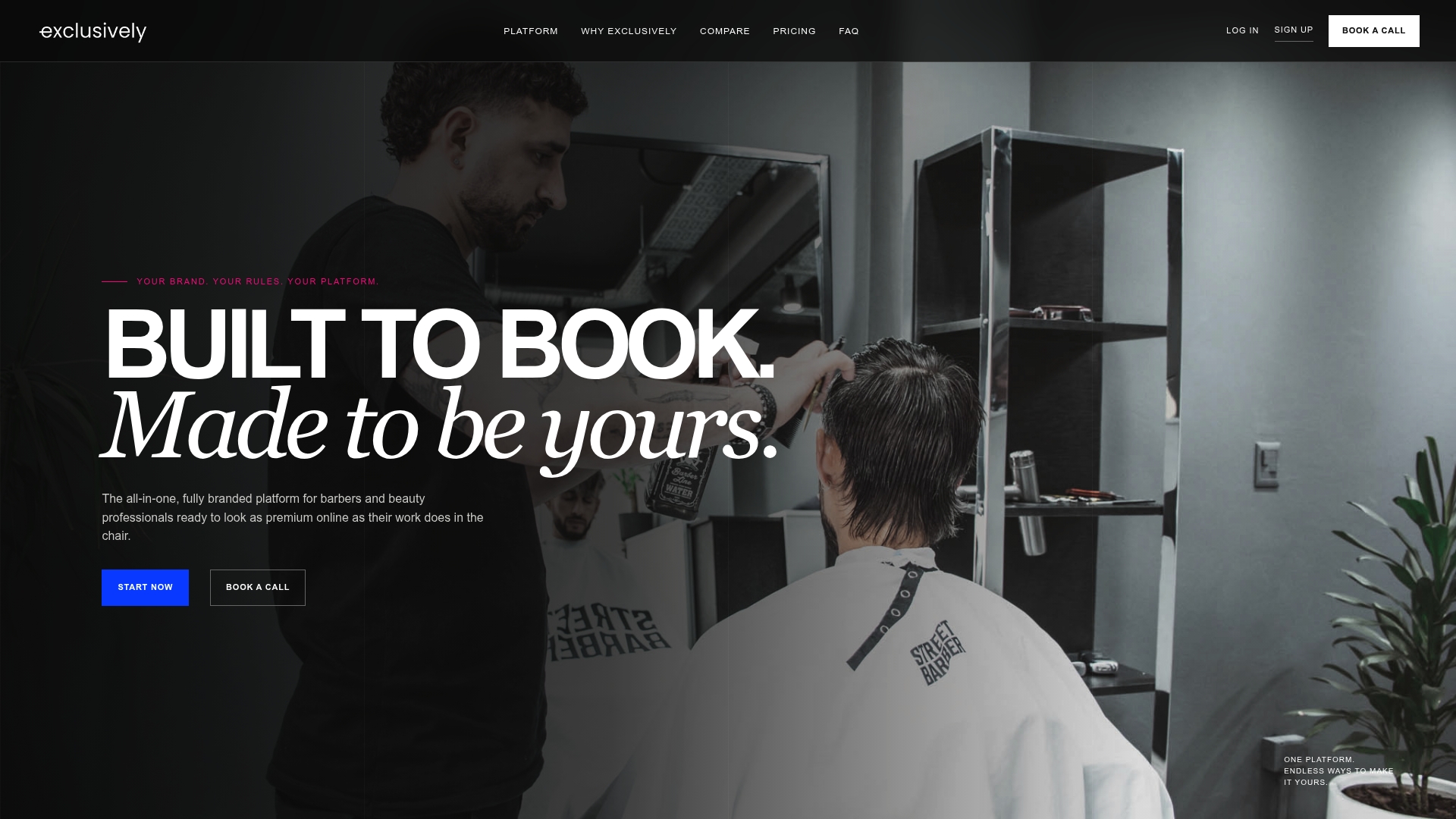
If you are ready to put your site, booking and payments under your own brand, see the Exclusively plans. If you already run payments and want to see how they connect, read about Square payments for barbershops.
A short template outline
Use this skeleton as a starting structure, then fill each part from your data map. It is an outline, not legal advice.
- Effective date and who you are (business name, address, contact email)
- Information we collect
- How we use information
- Who we share it with
- Cookies, analytics and advertising
- Payments
- Health and consultation information
- How long we keep information
- How we protect it
- Your choices: access, correction, deletion, marketing opt-out
- Children
- Changes to this policy
- Contact
If you serve clients in other countries, the rules differ. Canada’s guide notes that its federal law applies differently in provinces that have their own private-sector laws, and UK and EU clients fall under separate regimes. For a US-only salon, start with the US basics above. If you take bookings from abroad, ask a privacy lawyer which additional notices you owe.
For a salon that handles unusual risks, such as medical-adjacent treatments or large client lists, a lawyer should review the final text.
FAQ
Does a small salon really need a privacy policy?
If your website collects names, emails, phone numbers or bookings, yes. California’s online privacy law applies to any US site that collects personal information from California residents, and a clear policy also tells clients you handle their details carefully. Keep it short and accurate.
Can I copy another salon’s privacy policy?
Use other salons’ policies to see which topics to cover, but write yours from your own data map. A policy has to match what your site does, and it is your promise to clients. Tools and practices differ from shop to shop.
Am I PCI compliant if I use a payment processor?
Using a processor reduces what you must do, but you still have responsibilities, such as keeping card numbers out of notes and completing the questionnaire your processor or bank requests. The PCI Council’s small-merchant guide helps you find your requirements.
Should I collect allergy and health information through my website?
Only what you need for safe service, with a clear reason stated in your policy and access limited to the people doing the service. Do not keep it longer than you need it. For specific medical questions, a clinician is the right person to advise.
How often should I update my privacy policy?
Update it whenever you add a tool or feature that touches client data, such as ads, an app, memberships or a new booking flow. Otherwise, review it once a year and change the effective date when you edit it.
Sources
- California Online Privacy Protection Act (CalOPPA)
- Privacy Policy, Sugared + Bronzed
- Privacy Guide for Small Businesses: The Basics, Office of the Privacy Commissioner of Canada
- Protecting customer and employee information, business.govt.nz
- Website Terms and Privacy for Beauty Salons in the UK
- Protecting Personal Information: A Guide for Business, FTC
- PCI Compliance for Small Business Explained
- PCI SSC Clarifies Obligations for Ecommerce Merchants That Outsource Payment Card Processing
- Guide to Safe Payments, PCI Security Standards Council